
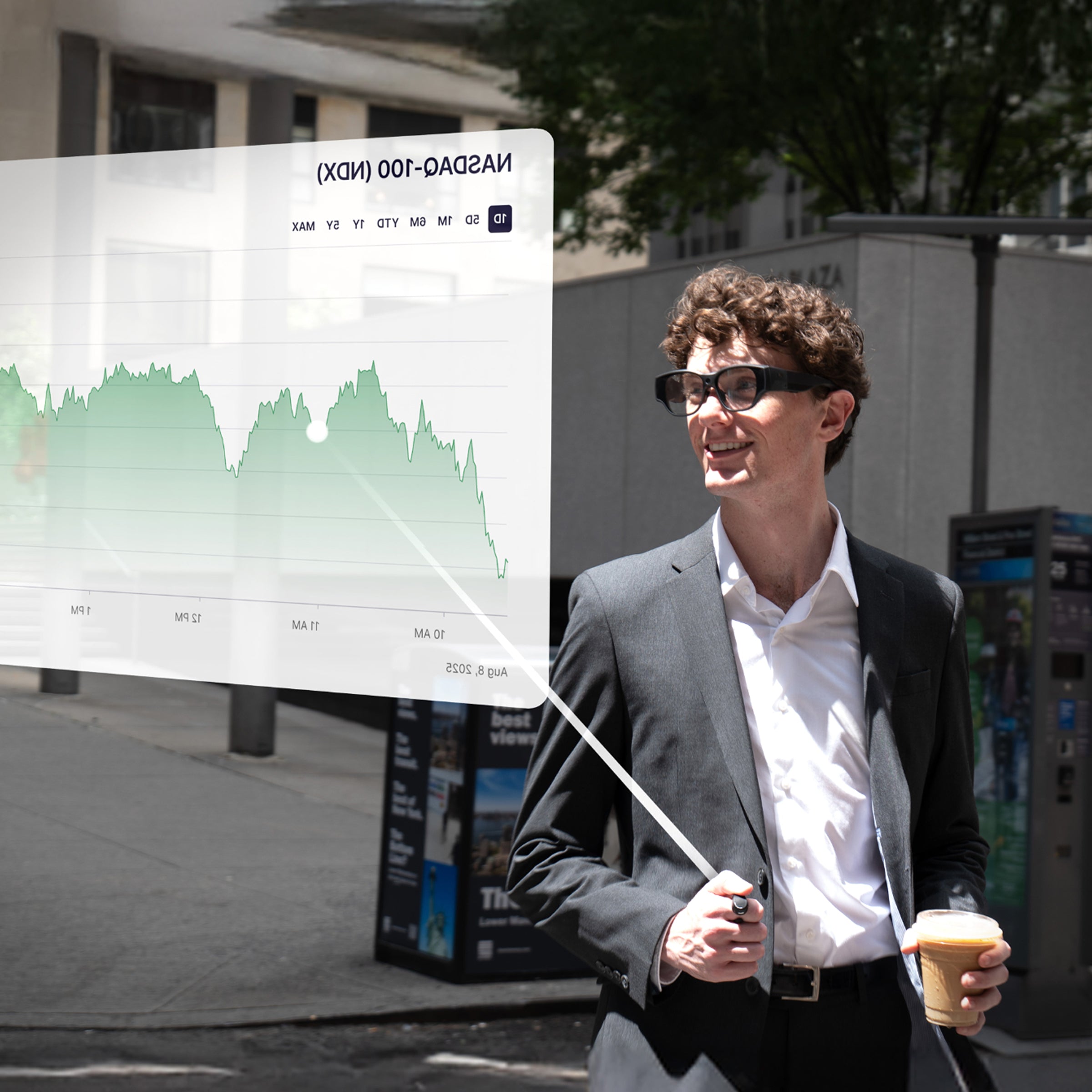
Imagine this: You are sitting in a busy airport lounge. With a subtle tap on your temple, a massive 150-inch virtual screen floats before your eyes, displaying real-time flight updates, pending emails, and live-translated subtitles. It sounds like the future, right?
But for many, the reality is different. After just a few minutes of reading, your eyes feel strained and fatigued. Worse, the text on the screen looks like a jagged mess of pixels—a "mosaic" that forces you to squint.
While many devices brand themselves as "AR Glasses" or "Smart Glasses," the user experience varies wildly. The secret doesn't lie in industrial design or software gimmicks; it lies in a critical technical battleground: The synergy between display resolution and optical architecture.
Today, we dive into why 1080P is the "threshold of viability" for AR glasses and why, in 2026, achieving this standard remains an elite engineering feat.
Why PPI is Irrelevant for AR—Understanding PPD (Pixels Per Degree)
In the smartphone industry, we use PPI (Pixels Per Inch) to measure sharpness. However, in Augmented Reality, PPI is a meaningless metric.
Because AR glasses project light directly into your eyes to create a virtual image, we must use a more specialized metric: PPD (Pixels Per Degree).
The Logic of PPD
A smartphone screen is a fixed physical object held at a distance. AR glasses, however, create a "perceived" screen size based on the FOV (Field of View). If the resolution remains the same but the FOV increases, the pixels are stretched thinner, and the clarity drops.
Comparison Table: Clarity Through the Lens
|
Device Type
|
Metric
|
User Experience Logic
|
Note
|
|
Smartphone
|
450+ PPI
|
Pixels distributed on a flat plane
|
Fixed physical size
|
|
Standard AR Glasses
|
30-40 PPD
|
Low density; visible "Screen-Door Effect"
|
Text often appears fuzzy
|
|
INMO Air3 (1080P)
|
62 PPD
|
High-density projection; "Retinal-grade"
|
Sharp edges even on small fonts
|
If using low-PPD glasses is like "looking through a frosted window," then 60 PPD and above represents the "Clear Reading" threshold. This is why many users find budget AR glasses fine for movies but painful for reading text.
The Technical Fortress: Why 1080P is So Hard to Achieve
Implementing 1080P full-color display in the ultra-compact form factor of a pair of glasses is one of the greatest engineering challenges in consumer electronics. It involves overcoming three major bottlenecks:
1. The Optics: Waveguide vs. Birdbath
-
Birdbath Optics: Used by most mainstream AR glasses. It works like a mini-projector but is inherently bulky and suffers from significant "light leakage," making the glasses look like thick goggles.
-
Optical Waveguides: The "Holy Grail" of AR. This tech uses Total Internal Reflection (TIR) to bounce light through a nanometer-thin lens. The challenge? Manufacturing Yield. Even a microscopic deviation in the grating can cause ghosting or chromatic aberration.
2. The Display Engine: The Micro OLED Barrier
AR glasses require extreme pixel density. Sony Micro OLED (OLED on Silicon) is the industry gold standard, packing millions of pixels into a chip smaller than a fingernail. These chips are expensive, and managing their power consumption while maintaining high brightness is a massive hurdle.
3. Power vs. Thermal Envelope
Processing 1080P content—alongside spatial computing and AR rendering—requires significant computational power. In a slim glasses frame, high resolution can quickly lead to overheating. Achieving 1080P without making the glasses "too hot to wear" requires elite thermal management and chip optimization.
What 1080P Means in Real-World Scenarios
Resolution isn't just a number on a spec sheet; it is the deciding factor in whether you will actually wear the glasses daily.
|
Scenario
|
Low-Resolution Pain Point
|
The 1080P Difference
|
|
Outdoor Reading
|
Text edges blur; "aliasing" causes eye strain
|
Sharp, crisp characters, similar to reading an E-ink display
|
|
Virtual Cinema
|
Visible "Screen-Door Effect" (mesh-like grid)
|
Immersive, cinematic detail with smooth color gradients
|
|
Productivity/Work
|
Small UI icons are hard to distinguish
|
Complex dashboards and spreadsheets are fully legible
|
In bright sunlight, low-resolution displays often lose contrast and become washed out. This is why a combination of 60+ PPD and high-nit brightness is the "pass mark" for utility. Without this, multi-tasking features are simply unusable.
INMO Air3 — Breaking the "1080P Full-Color Waveguide" Ceiling
As the world’s first AR glasses to achieve 1080P Full-Color Waveguide display, the INMO Air3 succeeds through a triple-threat of hardware integration:
-
Sony Micro OLED Engine: The foundation of the Air3’s clarity, providing infinite contrast ratios and vivid color saturation.
-
1D Pupil Expansion Waveguide: This is the key to balancing "thinness" with "sharpness." By utilizing precision-engineered 1D expansion, the Air3 directs light into the pupil with surgical accuracy while keeping the lenses as thin as standard prescription glasses.
-
Spatial Computing Processor: The Air3 utilizes a specialized architecture that optimizes 1080P rendering pipelines, maintaining high frame rates and low power consumption.
INMO Air3 Display Specifications
|
Key Metric
|
INMO Air3 Data
|
Industry Average
|
|
Resolution
|
1920 x 1080
|
1080P (Birdbath) or 720P
|
|
PPD (Clarity)
|
62
|
30 - 45
|
|
Optical Solution
|
1D Expansion Waveguide
|
Primarily Birdbath
|
|
Color Depth
|
Full Color
|
Often monochrome or "Pseudo-color"
|
For the user, this means the Air3 is no longer a "video toy" but a legitimate productivity tool.
Privacy — The Hidden Advantage of 1080P Waveguides
Beyond clarity, the waveguide architecture offers a critical advantage: Privacy.
If you use Birdbath optics in a public space, bystanders can often see the "glow" or reflections of your screen from the outside. The INMO Air3’s waveguide design ensures that the light path is directed strictly toward the wearer’s eye.
This "Physical Privacy" allows you to handle sensitive emails at a coffee shop or view private documents on a plane without worrying about "shoulder surfing." For professionals, this isn't just a feature—it’s peace of mind.
Conclusion: Resolution is the Foundation, Not an Option
Returning to the original question: Why does 1080P matter?
Because the goal of AR is to augment reality, not distract from it. If the digital content requires the user to squint or "guess" what they are seeing, the technology has failed.
Resolution is not a game of numbers for manufacturers; it is the entry barrier for a viable user experience. In 2026, while others are debating software features, the INMO Air3 has secured the most important foundation: a display that is finally as clear as the real world.
Explore Further:


Share:
Beyond the Tether: Why "Standalone" is the Ultimate Form Factor for Smart Glasses